Best Mic for Voice Coding with Cursor and Claude Code
By FreqDeck · 11 min read · Updated September 2026
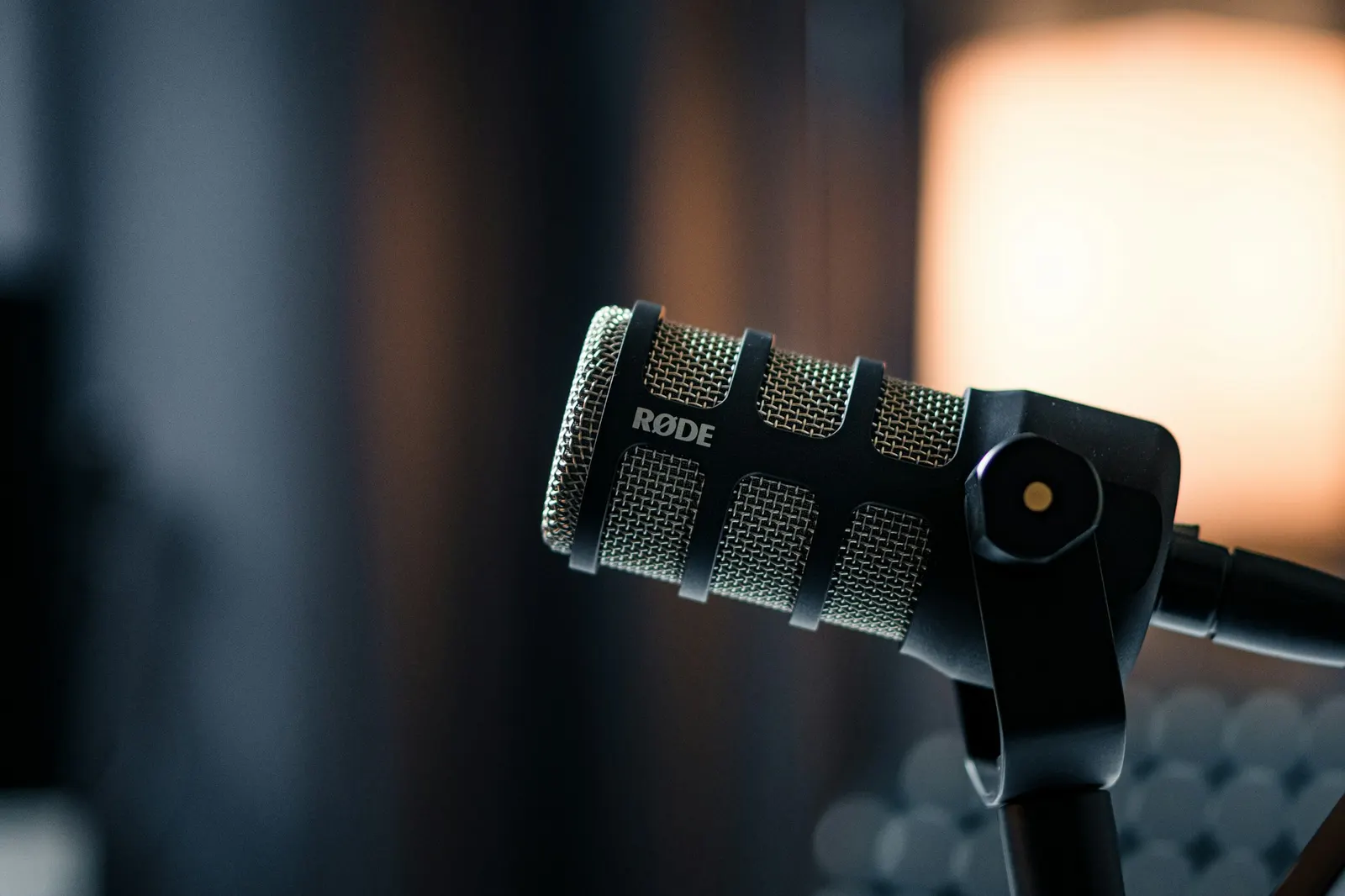
Voice coding with Cursor, Claude Code, GitHub Copilot, and similar AI-assisted IDEs is a workflow that rewards clean hardware. When you speak a function signature or describe a refactor, that speech goes through a transcription layer before it reaches the model. The transcription step is where errors enter: a misheard keyword, a wrong variable name, or a dropped qualifier changes what the AI writes. The Rode PodMic USB is the microphone that eliminates most of that transcription error in a typical home office, but this guide covers the full range from a $55 entry option to the Shure MV7+ for developers who want the best possible voice-to-code input chain.
Quick answer
The Rode PodMic USB gives the best voice-coding input for Cursor and Claude Code in a typical home office. Its tight dynamic cardioid pattern reduces the background noise that causes transcription errors before code is generated. The ATR2100x-USB is the best option under $80 for the same reason: dynamic capsule, cardioid pattern, close-mic placement.
This guide contains affiliate links. FreqDeck may earn a commission at no cost to you.
How voice coding with Cursor and Claude Code actually works
The weak link in voice coding is the transcription step, not the AI model, since Cursor and Claude Code only ever see transcribed text. The Rode PodMic USB ($199) is the top pick because its dynamic capsule keeps that step accurate.
When you dictate a prompt to Cursor or use voice input with Claude Code, the speech goes through a local or cloud transcription engine first. That engine converts your speech to text, and the text becomes the prompt the AI model sees. The AI never hears your voice directly. It only sees the transcription output.
This two-step chain means errors compound. If the transcription step misreads a word, the AI model receives a different prompt than you intended. A misheard variable name generates wrong code. A dropped conjunction changes the logic of a refactoring instruction. The transcription layer is the weak link, and microphone choice is the primary variable that affects transcription accuracy.
Developers using Wispr Flow with Cursor have noted that switching from a laptop microphone to a dedicated cardioid microphone reduces the frequency of prompt corrections by a noticeable margin. The same pattern holds for Willow Voice, superwhisper, and any other voice-to-IDE tool. The audio input quality directly determines the prompt quality the AI model receives.
Why dynamic microphones win for coding environments
Dynamic microphones win in typical, untreated home offices because their cardioid pattern rejects sound arriving off-axis, where condensers pick up hums and echo instead. The Rode PodMic USB ($199) and Audio-Technica ATR2100x-USB ($79) are both dynamic picks that perform well positioned six to ten inches from your mouth.
The home office environment where most voice coding happens is not acoustically ideal. Hard walls reflect sound, HVAC systems hum, mechanical keyboards click, and external noise from the street or household comes and goes. A condenser microphone will capture your voice with excellent detail in this environment, but it will also capture all of that background noise with similar faithfulness.
Dynamic microphones reject off-axis sound by design. The Rode PodMic USB and Audio-Technica ATR2100x-USB have cardioid polar patterns that are significantly less sensitive to sounds arriving from the sides and rear of the capsule. When you position either of these mics six to ten inches in front of your mouth on a boom arm, you are feeding the transcription engine a signal that is predominantly your voice and not your environment.
The practical result for Cursor and Claude Code use: the AI model receives a more accurate text representation of what you intended to say, generates better code on the first attempt, and requires fewer correction cycles. For voice coding where you might speak ten or twenty prompts per hour, reducing even one error per session per prompt is meaningful.

Rode PodMic USB
A broadcast-grade dynamic mic with both USB-C and XLR outputs, tight cardioid pattern, and a built-in headphone output. The top Whisper and Wispr Flow recommendation in developer communities.

Audio-Technica ATR2100x-USB
A dynamic cardioid mic with both USB-C and XLR outputs, clean preamp, and a warm sound character. A long-running developer favorite for AI dictation on a tight budget.
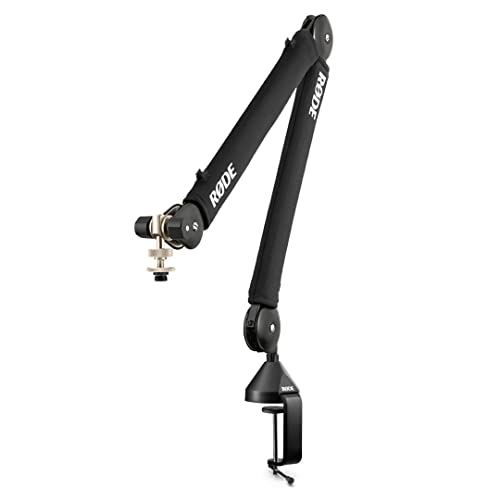
Rode PSA1+ Professional Swivel Mount Studio Arm
The professional broadcast studio arm that handles heavier mics like the Rode PodMic USB without sagging, with full internal cable routing and smooth friction-controlled movement.
Rode PodMic USB: the recommended voice coding mic
The Rode PodMic USB at $199 is the recommendation for developers who voice-code regularly and want the transcription layer to work as accurately as possible. The broadcast-grade dynamic capsule was originally designed for radio and podcasting, where room noise rejection is essential. Those same acoustic properties translate directly to voice coding accuracy.
The dual USB-C and XLR outputs mean the Rode PodMic USB grows with your setup. Start with USB-C directly into your MacBook or PC today. When you are ready to add an audio interface for more gain control and monitoring, connect the XLR output to the Rode AI-1 Audio Interface or Focusrite Scarlett Solo 4th Gen without buying a new microphone. The built-in headphone jack lets you monitor your voice in real time during a coding session, which helps you stay consistent with positioning and volume.
Position matters as much as the mic itself. Mount the Rode PodMic USB on the Rode PSA1+ Professional Swivel Mount Studio Arm arm, position it just below and in front of your chin at a slight downward angle, and maintain a consistent six to ten inch distance. This positioning puts your mouth squarely in the cardioid sweet spot and keeps the mic capsule below your direct line of sight to both monitors. Add the Aokeo Professional Microphone Pop Filter if you are speaking quickly or forcefully during dictation sessions.
Rode PodMic USB
A broadcast-grade dynamic mic with both USB-C and XLR outputs, tight cardioid pattern, and a built-in headphone output. The top Whisper and Wispr Flow recommendation in developer communities.

Rode AI-1 Audio Interface
Rode's own single-channel audio interface with a studio-grade preamp, zero-latency hardware monitoring, and tight integration with Rode mics including the NT1 and PodMic XLR.

Focusrite Scarlett Solo 4th Gen
The most popular audio interface for home studios and developer setups, with a clean low-noise preamp, Air mode for voice clarity, USB-C, and class-compliant macOS support without a driver.

Aokeo Professional Microphone Pop Filter
A double-layer nylon mesh pop filter on a flexible gooseneck clamp that attaches to any boom arm and blocks plosive breath sounds without muffling high-frequency voice detail.
Budget voice coding microphones: ATR2100x and FIFINE AM8
The Audio-Technica ATR2100x-USB at $79 is the best budget microphone for voice coding. Like the Rode PodMic USB, it uses a dynamic cardioid capsule with meaningful background noise rejection. The USB-C output connects directly to a laptop, and the XLR output preserves an upgrade path. Developers who have used it with Cursor and Whisper-based tools report that the noise rejection is noticeably better than any condenser at a similar price.
The FIFINE AM8 Dynamic USB Microphone at $57 is a newer budget dynamic with a built-in shock mount base that saves you the cost of a separate vibration isolation accessory. The polar pattern is slightly wider than the ATR2100x, so it is not quite as aggressive at rejecting room sound, but for a typical home office it performs well. The touch mute with LED is genuinely useful for quickly muting Wispr Flow between voice coding sessions.
At the lowest price point, the MXL AC-44 USB Microphone at $55 is a popular first step mentioned on developer dictation blogs. Its omnidirectional pickup limits accuracy in noisy rooms, but it is a significant improvement over a laptop microphone. Think of it as the entry point rather than the destination.
Audio-Technica ATR2100x-USB
A dynamic cardioid mic with both USB-C and XLR outputs, clean preamp, and a warm sound character. A long-running developer favorite for AI dictation on a tight budget.

FIFINE AM8 Dynamic USB Microphone
A dynamic cardioid USB-C microphone with a built-in shock mount base, touch mute, and a backlit ring. Competitive noise rejection for under $80.

MXL AC-44 USB Microphone
The mic that gets the most mentions on developer blogs covering AI dictation on a budget. Omnidirectional cardioid pickup with a small desktop form factor and no arm required.
Premium voice coding option: Shure MV7+
The Shure MV7+ at $249 is the main competitor to the Rode PodMic USB at the premium end. It adds onboard touch controls for gain, monitor mix, and EQ directly on the mic body, which is useful for developers who switch between voice coding sessions and video calls and want quick hardware control without opening software. The ShurePlus MOTIV app also provides real-time voice processing and EQ.
The honest comparison: the Shure MV7+ cardioid pattern is slightly wider than the Rode PodMic USB, which means the Rode rejects off-axis room noise more aggressively in a direct comparison. For voice coding accuracy in a noisy home office, the Rode wins on the acoustic spec that matters most. The Shure wins on hardware control ergonomics. Both are excellent at their price and either will serve a voice-coding workflow well.
Note that Shure has no direct affiliate program, so the Shure MV7+ routes to Guitar Center at 4 to 6 percent. The Rode PodMic USB routes to the Rode direct program at 15 percent. This is relevant if you are evaluating the full setup economics of a voice-coding gear recommendation.

Shure MV7+
An evolved USB/XLR dynamic mic with onboard touch controls, a backlit EQ panel, and Shure's ShurePlus MOTIV app for real-time voice processing. A credible alternative to the Rode PodMic USB for voice-coding setups.
Rode PodMic USB
A broadcast-grade dynamic mic with both USB-C and XLR outputs, tight cardioid pattern, and a built-in headphone output. The top Whisper and Wispr Flow recommendation in developer communities.
The complete voice coding hardware chain
A complete voice-coding audio chain, microphone plus boom arm plus pop filter, costs about $137 at the budget tier and $300 to $350 at the premium tier led by the Rode PodMic USB and Rode PSA1+ arm. Each tier improves transcription accuracy over a laptop mic.
A complete voice coding hardware chain for Cursor and Claude Code starts with the microphone, adds a boom arm for consistent positioning, and optionally includes pop filter and shock mount for clean audio. Here is the setup at each budget tier.
Budget tier under $140: Audio-Technica ATR2100x-USB plus InnoGear Heavy Duty Microphone Boom Arm plus InnoGear Universal Shock Mount plus Aokeo Professional Microphone Pop Filter. Total investment around $137 and significantly better transcription input than any laptop or webcam microphone.
Mid tier around $250: Rode NT-USB Mini or HyperX QuadCast 2 S plus Elgato Wave Mic Arm Low Profile plus Aokeo Professional Microphone Pop Filter. Add the Rode SM6 Shock Mount with Pop Filter if you use the NT-USB Mini for the integrated pop filter and vibration isolation.
Premium tier around $300 to $350: Rode PodMic USB plus Rode PSA1+ Professional Swivel Mount Studio Arm plus Aokeo Professional Microphone Pop Filter. This is the setup that gives you the most accurate voice-to-code input chain available without going into professional broadcast territory. Both the mic and the arm route to Rode direct at 15 percent, which is the highest-commission pairing in this niche.
Audio-Technica ATR2100x-USB
A dynamic cardioid mic with both USB-C and XLR outputs, clean preamp, and a warm sound character. A long-running developer favorite for AI dictation on a tight budget.

InnoGear Heavy Duty Microphone Boom Arm
A budget steel boom arm with dual-spring tension, desk clamp, and 5/8-inch thread. A reliable first boom arm for developers who need positioning without spending $100.
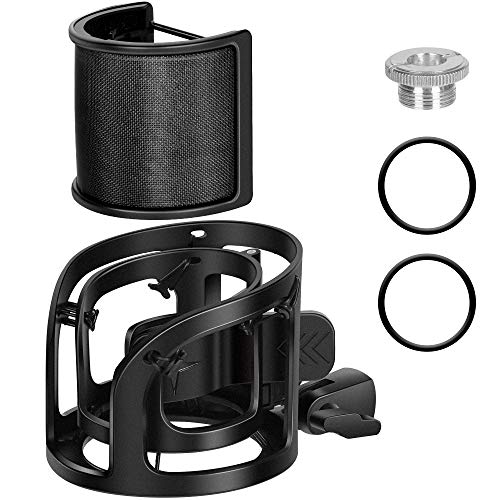
InnoGear Universal Shock Mount
A budget elastic shock mount with a universal 5/8-inch thread adapter that fits most USB microphones and reduces desk vibration noise for a cleaner dictation signal.
Aokeo Professional Microphone Pop Filter
A double-layer nylon mesh pop filter on a flexible gooseneck clamp that attaches to any boom arm and blocks plosive breath sounds without muffling high-frequency voice detail.

Rode NT-USB Mini
A compact studio condenser with a tight cardioid pattern, USB-C output, and an integrated pop filter built into the capsule housing. Excellent voice clarity for Whisper and voice-coding workflows.

HyperX QuadCast 2 S
A USB-C mic with four selectable polar patterns, a tap-to-mute sensor, and a multifunction knob for gain, headphone volume, monitor mix, and polar pattern. Ships with a USB-C to USB-A adapter and a USB-C to USB-C cable.

Elgato Wave Mic Arm Low Profile
A low-profile boom arm designed to keep the microphone in the lower field of view, out of the webcam frame, with internal cable routing and a desk clamp rated for lighter mics.

Rode SM6 Shock Mount with Pop Filter
Rode's premium shock mount with an integrated pop filter and elastic suspension, designed for Rode condenser microphones. Isolates the capsule from desk vibration transmitted through the boom arm.
Rode PodMic USB
A broadcast-grade dynamic mic with both USB-C and XLR outputs, tight cardioid pattern, and a built-in headphone output. The top Whisper and Wispr Flow recommendation in developer communities.
Rode PSA1+ Professional Swivel Mount Studio Arm
The professional broadcast studio arm that handles heavier mics like the Rode PodMic USB without sagging, with full internal cable routing and smooth friction-controlled movement.
Featured in this guide
Rode PodMic USB
A broadcast-grade dynamic mic with both USB-C and XLR outputs, tight cardioid pattern, and a built-in headphone output. The top Whisper and Wispr Flow recommendation in developer communities.
Audio-Technica ATR2100x-USB
A dynamic cardioid mic with both USB-C and XLR outputs, clean preamp, and a warm sound character. A long-running developer favorite for AI dictation on a tight budget.
Shure MV7+
An evolved USB/XLR dynamic mic with onboard touch controls, a backlit EQ panel, and Shure's ShurePlus MOTIV app for real-time voice processing. A credible alternative to the Rode PodMic USB for voice-coding setups.
Rode PSA1+ Professional Swivel Mount Studio Arm
The professional broadcast studio arm that handles heavier mics like the Rode PodMic USB without sagging, with full internal cable routing and smooth friction-controlled movement.
Rode NT-USB Mini
A compact studio condenser with a tight cardioid pattern, USB-C output, and an integrated pop filter built into the capsule housing. Excellent voice clarity for Whisper and voice-coding workflows.
Aokeo Professional Microphone Pop Filter
A double-layer nylon mesh pop filter on a flexible gooseneck clamp that attaches to any boom arm and blocks plosive breath sounds without muffling high-frequency voice detail.
FAQ
Frequently asked questions
What microphone do Cursor and Claude Code users recommend?+
Developer communities using Cursor and Claude Code most often recommend the Rode PodMic USB as the primary pick for voice coding. Its dynamic cardioid pattern rejects the background noise that causes transcription errors before code is generated. The Audio-Technica ATR2100x-USB is the most-cited budget recommendation for the same reason: dynamic capsule, cardioid pattern, close-mic placement, USB-C output.
Does voice coding accuracy improve with a better microphone?+
Yes. Cursor, Claude Code, and similar tools use a transcription layer to convert your speech to text before sending it to the AI model. A cleaner microphone input produces more accurate transcriptions, which produces more accurate prompts, which produces better code on the first attempt. The largest jump in accuracy comes from moving from a laptop microphone to any dedicated cardioid microphone. Further gains come from dynamic over condenser in noisy rooms and consistent positioning via a boom arm.
Can I use a headset microphone for voice coding with Cursor?+
Yes, but a dedicated desk microphone generally produces better transcription accuracy for voice coding. Headset microphones are designed for calls and typically have narrower frequency responses optimized for speech intelligibility over a noisy connection, not for clean AI transcription input. AI noise-cancelling headsets like the Jabra Evolve2 75 are an exception: their outbound noise-cancelling AI processes the mic signal in a way that actually helps transcription accuracy in very noisy environments.
How close should I hold my microphone for voice coding?+
Six to ten inches is the sweet spot for a dynamic cardioid microphone like the Rode PodMic USB. Close enough to dominate the cardioid pickup pattern and reject room noise, far enough that breath and plosive sounds do not overwhelm the capsule. A boom arm makes this distance consistent across sessions, which is why consistent positioning is as important as microphone choice for long-term voice-coding accuracy.